Retroid Flip 2: A Modern Retro Handheld for Balanced Digital Living
By Rowan Cooke
published on the 29th of March 2026
At the start of 2026, I chose to be more conscious of my social media use, as there were negative effects that came with doomscrolling for long periods of time. These included constant bad news feeds about geopolitical war, echo chamber arguments from both extremes of the political spectrum, AI-generated slop, and algorithm-induced depression and anxiety fuelled by Instagram influencers. My goal for the year was to reconnect with myself by distancing myself from the online world and finding a suitable device to help with that.
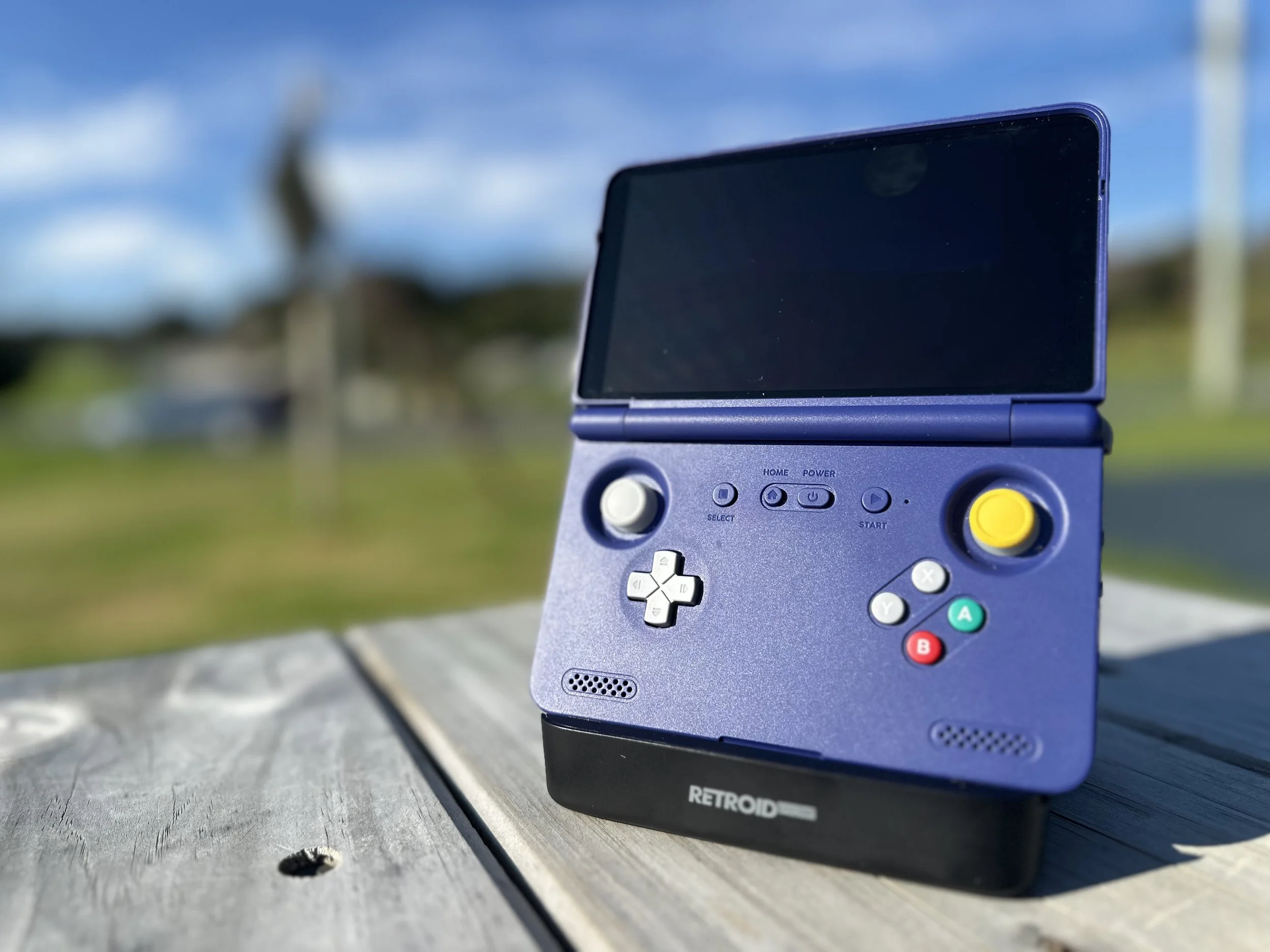
(the Retroid Flip 2 on the Retroid dock, sold separately)
I thought rekindling my passion for music and regaining control over my music choices—which streaming services had started to influence—would help me rediscover my passion for music and myself. Therefore, I set out to find a music player.
In the past, I explored buying a modified iPod Classic but found it more complex and time-consuming than expected. Then, I looked at buying a new-age Sony Walkman; however, all these ‘Walkman’ devices on the market felt like stripped-down Android phones that couldn't make calls, yet still allowed you to download Facebook. This was not what I wanted.
Ultimately, I was looking for a device with a physical feel to help me avoid social media and the addictive scroll. Switching to a basic ‘dumb’ phone seemed too drastic, as I do use features on my phone that are only available on more technologically advanced devices. I realised I needed to find a device to help me balance my digital interactions with healthy technology use. I was looking for that sweet spot.
I searched for a balanced solution to encourage healthier tech habits and was seeking a device primarily for music listening, equipped with Bluetooth capability and basic functionality for YouTube and movie playback. I wanted a device that wouldn't prompt constant use of platforms like Facebook, but one that would still be suitable for use at airports and offer the added benefit of avoiding social media distractions.
Then, while watching a YouTube video featuring a Game Boy-style handheld used for music playback, the answer seemed obvious: a modern retro handheld.
As a fan of physical buttons over touchscreens, I found the idea of a retro layout more appealing than MP3 players that try to mimic the iPod, and far more preferable to other flat-screen Android music players. It became clear that a device designed to mimic video game nostalgia offered a great way to disconnect from social media.
When I purchased the Retroid Flip 2, it didn’t just become my Bluetooth music player; it became my go-to audio device for walks, watching YouTube at night, and gaming for relaxation. I was unexpectedly impressed, and thus I suggest to my readers that this device offers functionality beyond that of a typical retro video game player.
Another key advantage of buying a retro handheld device is the opportunity to relive the nostalgia and simplicity of gaming, offering those one-of-a-kind experiences that many modern systems no longer provide.
Setting up emulation software, installing virtual consoles, and downloading ROMs can be a bit daunting for beginners. For example, users might find it tricky to configure BIOS files correctly or locate ROMs that are compatible with their device. These setup steps can seem overwhelming at first, but they are usually minor hurdles. Most guides and forums provide straightforward solutions. I suggest using ChatGPT, which worked for me. Overall, the device’s benefits outweigh its setup challenges, and its versatility makes the initial difficulties worthwhile.
The Retroid Flip 2 handheld console is designed in a clamshell style, much like the classic Nintendo DS. When opened, its controls mimic those found on popular gaming controllers: two thumbsticks with customizable lights, four buttons labelled X, Y, B, and A, and a directional pad (D-pad). It does not include a second screen, which is a key feature missing compared to the DS. If you want to play Nintendo DS games that depend on dual screens, this console might not be ideal, even though it supports such games.
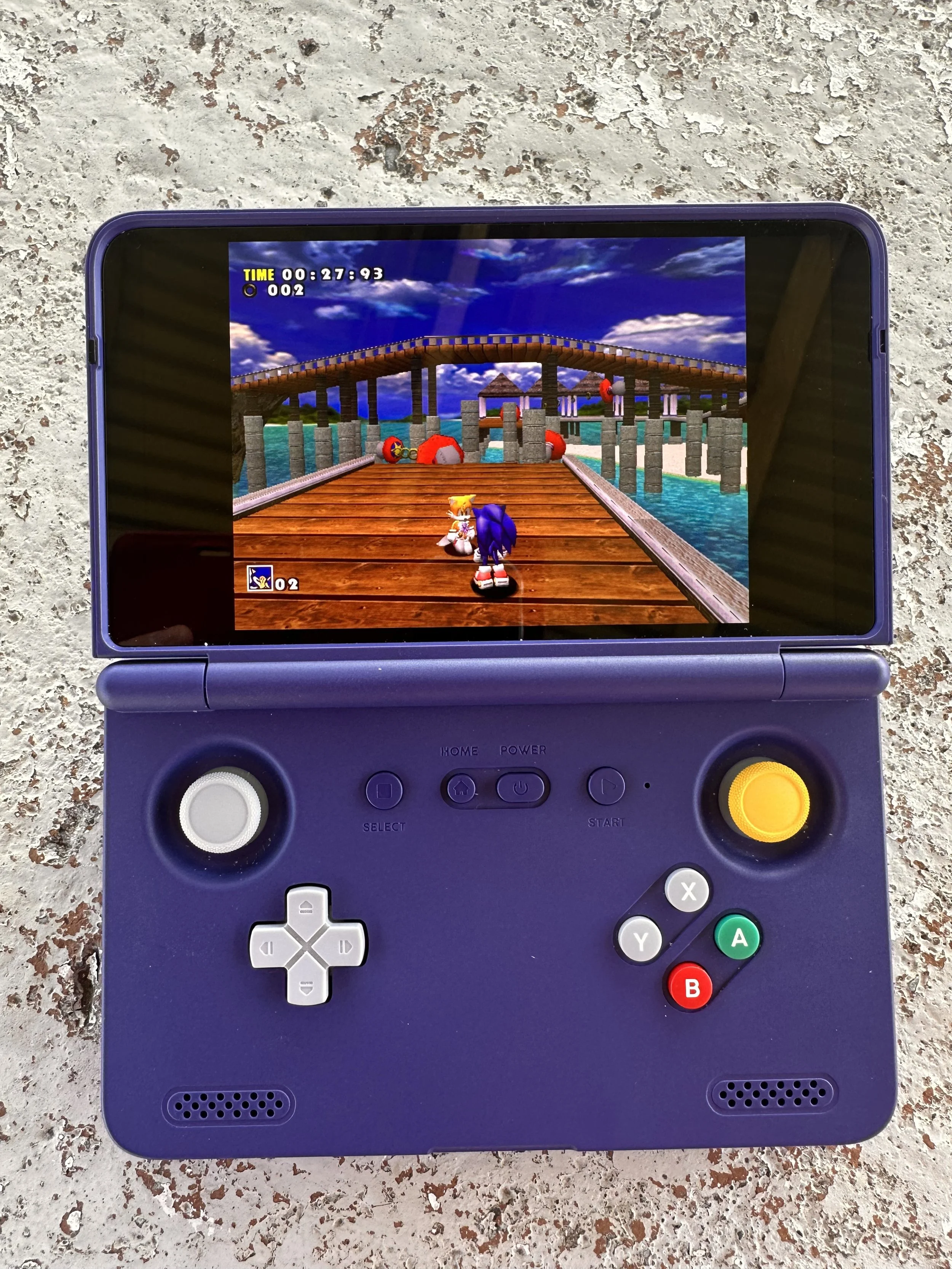
(Sonic Adventure, Dreamcast, on the Retroid Flip 2. Flycast Emulator used)
If you are considering purchasing from the Retroid website, customers may select from four available colours: black, ice blue transparent, 16-bit grey, and GameCube purple. I opted for GameCube purple due to its distinctive button display, which, for me personally, helps reference the controls while playing different retro games.
Technical specifications state that the console features a Snapdragon CPU, 8GB of RAM, and 128GB of storage. If needed, additional storage can be added with a microSD card. Recharging is done using a USB-2 connector.
I used the official Retroid dock, which provides HDMI and USB ports for controllers and retro gaming on a TV. While navigating the console on a big screen is challenging, switching between TV and handheld is easy and convenient. For this review, I played Ocarina of Time (GameCube emulation) with a PS5 controller. The older graphics still looked impressive on a modern digital TV.
In addition, the handheld features a touchscreen that makes navigating apps and the interface much easier. While console buttons work well for playing video games, they are less ideal for selecting apps or choosing videos on YouTube.
The screen display is exceptionally clear and crisp. When playing titles such as Sonic Adventure or Super Mario 64, the enhanced visuals noticeably improved the gaming experience. Colours appeared more vibrant and character models were sharper, making classic games feel refreshed and more immersive. I tested several games on this device, including Azure Dreams (PS1), Sonic Adventure (Dreamcast), Pokémon Emerald (Game Boy Advance), Yoshi’s Island (Super Nintendo), The Legend of Zelda: Ocarina of Time (GameCube), and Super Mario 64.
My goal was to use this device as more than just a retro handheld; I wanted it to play music as well. The Retroid Flip 2 runs Android 11, which means it supports a wide range of apps, including iTunes, Spotify, YouTube Music, and third-party players like Hiby. Thanks to Bluetooth, I was able to easily connect my Apple EarPods and AirPods Pro Max. For uploading your own tracks, you can use apps such as Hiby or Poweramp, making the device versatile for both streaming and personal libraries. In terms of sound quality, Bluetooth playback was excellent, with no notable latency or loss in clarity or bass response. The external speaker also delivered a strong audio performance, allowing music and gaming sessions to sound rich and immersive without headphones.
One challenge with game emulation is the learning curve involved in downloading and running games. For example, you may need to organise your files into specific folders so each emulator can locate them easily. Touchscreen support in apps like RetroArch and DuckStation helps, but basic file management—such as placing ROMs in the correct directories—is still important.
Apps like iTunes don’t automatically rotate on the screen, so you need to adjust orientation settings in Android. While music playback is solid, the device is primarily designed for gaming, meaning music interfaces aren’t fully optimised. On YouTube, you must use the touchscreen rather than the controller, which can break immersion and feel slightly awkward. These are minor quirks but worth noting.
The screen can easily become dirty and smudged, and it reflects sunlight, making outdoor use more difficult unless you’re in shade or carrying a cloth. Again, not a major issue, but something to consider.
If gaming is your focus and you're comfortable with some setup, the Retroid Flip 2 is a solid option. For flawless music or video playback, you may prefer other devices, as this is primarily built for gaming despite offering good multimedia support. Overall, the strengths outweigh the weaknesses.
The Retroid Flip 2 distinguishes itself not only through its hardware but by redefining technology’s role in everyday life. Unlike devices designed to dominate attention, this console helps regulate engagement. It offers music, gaming, and video playback while encouraging less phone use. This balance influenced my decision to purchase it.
The Retroid Flip 2 is a strong option for those seeking entertainment without typical smartphone distractions. It’s relatively easy to set up, though some guidance may be needed. While the screen smudges easily, struggles in bright sunlight, and some apps don’t fully utilise the hardware, these are minor drawbacks. Overall, the device is recommended for anyone wanting a more focused and intentional tech experience.
References and Notes
If wanting to purchase a Retroid device
https://www.goretroid.com/en-au/products/retroid-pocket-flip-2?variant=47137820934368
The YouTube video that inspired the idea to get a Game Boy-like device for music
https://www.youtube.com/watch?v=Jn2gf8kZdfc&t=212s